Grok 视频生成使用教程
通过 Node.js 脚本调用 Grok API,一键生成 AI 视频并自动下载到本地
1
准备运行环境
本教程使用 JavaScript 脚本生成视频,需要先安装 Node.js 运行环境。
- 打开终端输入
node -v,如有版本号则说明已安装 - 若未安装,点击下方链接前往官网下载最新版 Node.js
- 安装完成后重启终端,再次验证版本号即可
💡 提示
推荐安装 Node.js v20 及以上版本,以确保原生 fetch API 可用。
2
配置 API Key
将完整脚本代码保存为 video.js 文件,填写你的 Grok 分组 API Key。
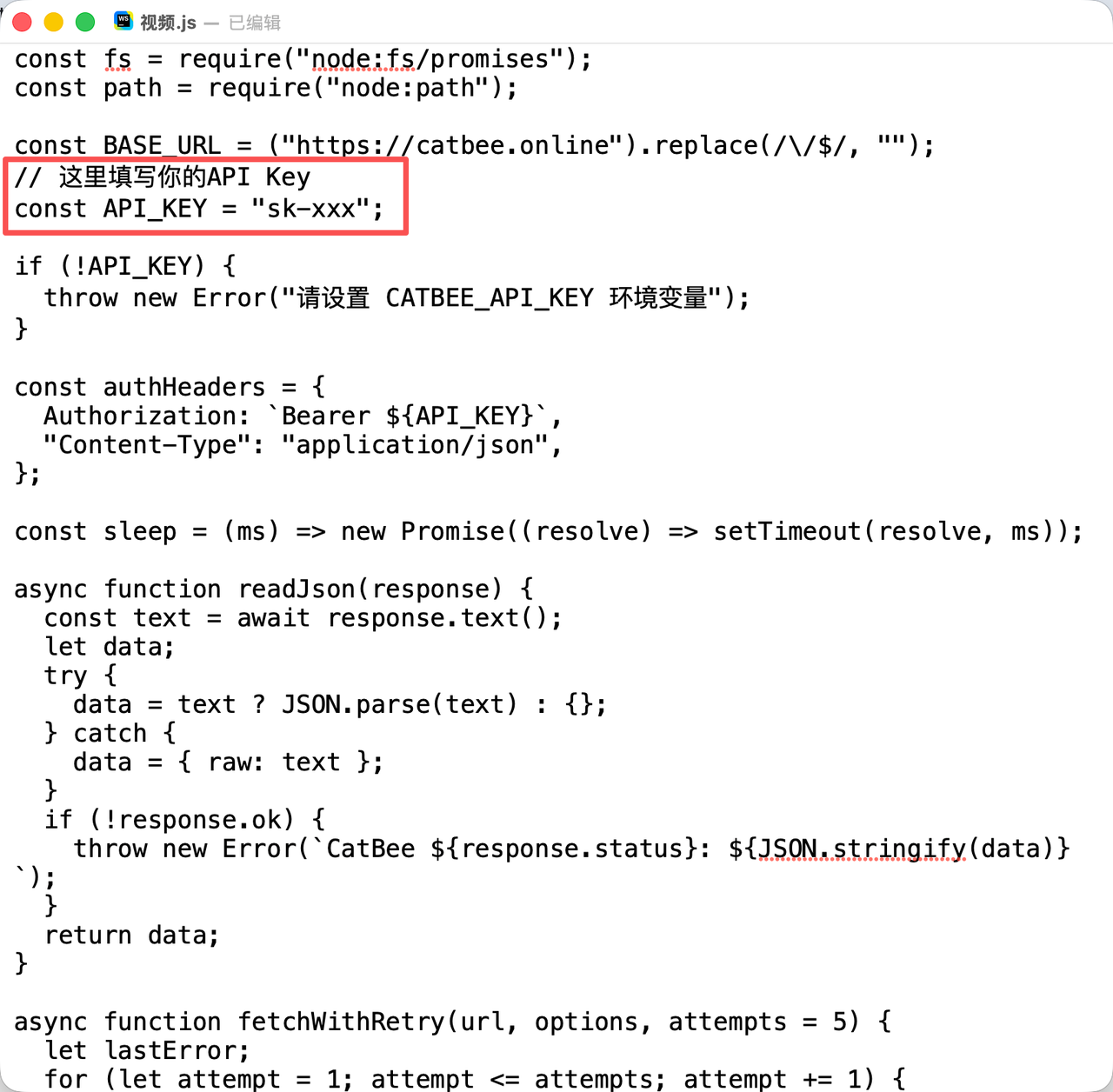
- 新建一个文本文件,重命名为
video.js - 将下方完整代码复制粘贴到文件中
- 找到
API_KEY变量,将sk-xxx替换为你自己的密钥
// 引入依赖
const fs = require("node:fs/promises");
const path = require("node:path");
const BASE_URL = ("https://catbee.online").replace(/\/$/, "");
// 这里填写你的API Key
const API_KEY = "sk-xxx";
if (!API_KEY) {
throw new Error("请设置 CATBEE_API_KEY 环境变量");
}
const authHeaders = {
Authorization: `Bearer ${API_KEY}`,
"Content-Type": "application/json",
};
const sleep = (ms) => new Promise((resolve) => setTimeout(resolve, ms));
async function readJson(response) {
const text = await response.text();
let data;
try {
data = text ? JSON.parse(text) : {};
} catch {
data = { raw: text };
}
if (!response.ok) {
throw new Error(`CatBee ${response.status}: ${JSON.stringify(data)}`);
}
return data;
}
async function fetchWithRetry(url, options, attempts = 5) {
let lastError;
for (let attempt = 1; attempt <= attempts; attempt += 1) {
try {
return await fetch(url, options);
} catch (error) {
lastError = error;
if (attempt < attempts) {
const delay = Math.min(2000 * attempt, 8000);
console.log(`网络暂时不可用,${delay / 1000} 秒后重试 (${attempt}/${attempts - 1})`);
await sleep(delay);
}
}
}
throw new Error(`连接 CatBee 失败: ${lastError?.message || lastError}`);
}
async function downloadVideo(url, requestId) {
const response = await fetchWithRetry(url, {
headers: { Authorization: `Bearer ${API_KEY}` },
});
if (!response.ok) {
throw new Error(`下载视频失败 (${response.status}): ${await response.text()}`);
}
const outputDir = path.join(__dirname, "outputs");
const outputPath = path.join(outputDir, `grok-imagine-video-${requestId}.mp4`);
await fs.mkdir(outputDir, { recursive: true });
const buffer = Buffer.from(await response.arrayBuffer());
await fs.writeFile(outputPath, buffer);
return outputPath;
}
3
设置视频生成参数
在 generateVideo 函数中调整视频的时长、比例和分辨率等参数。
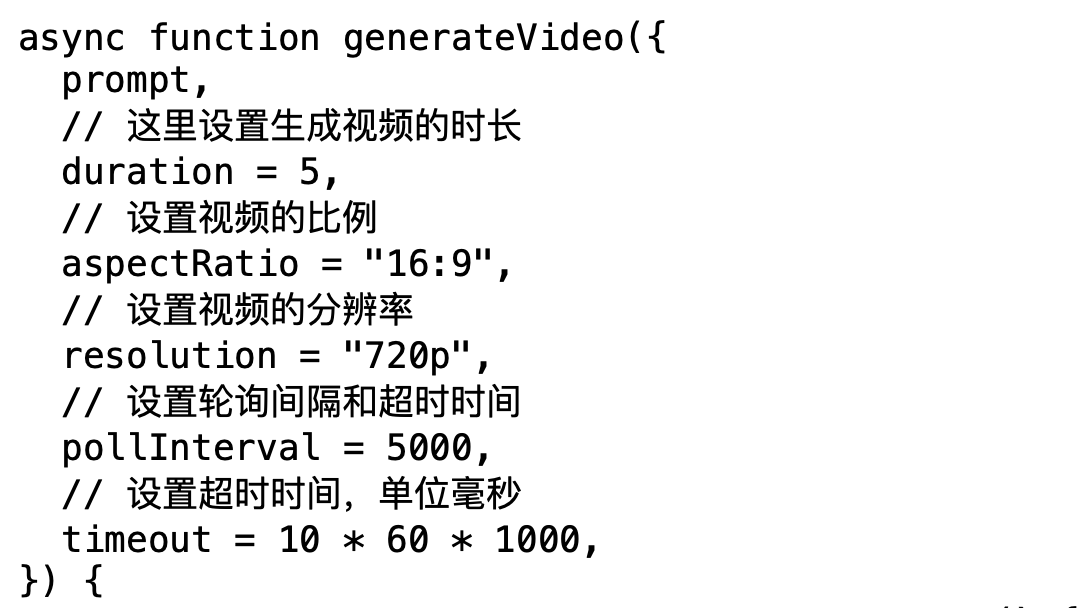
| 参数名 | 默认值 | 说明 |
|---|---|---|
duration |
5 | 视频时长,单位:秒 |
aspectRatio |
"16:9" | 视频比例,支持 16:9、9:16、1:1 等 |
resolution |
"720p" | 视频分辨率,如 720p、1080p |
pollInterval |
5000 | 轮询间隔,单位:毫秒 |
timeout |
600000 | 超时时间,默认 10 分钟 |
4
填写视频生成描述
在脚本底部找到 prompt 字段,输入你想要生成的视频内容描述。
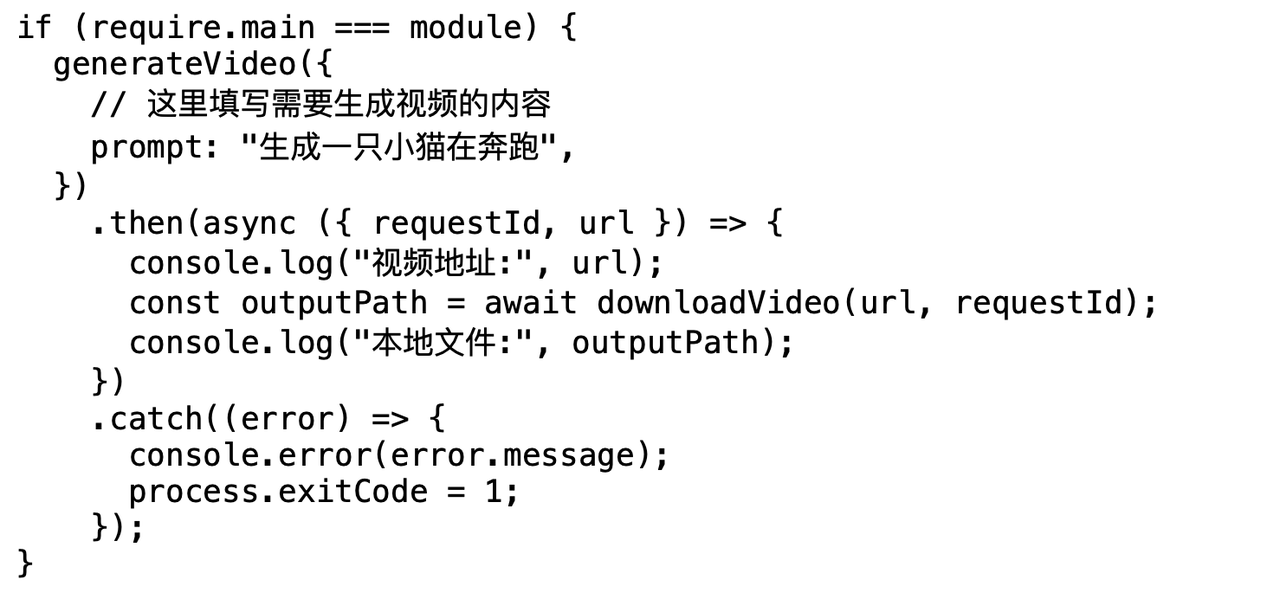
- 描述越详细,生成效果越好,建议包含主体、动作、场景、风格
- 支持中英文描述,推荐使用英文获得更稳定的效果
- 示例:
"一只可爱的小猫在草地上奔跑,阳光明媚,电影质感"
if (require.main === module) {
generateVideo({
// 这里填写需要生成视频的内容
prompt: "生成一只小猫在奔跑",
})
.then(async ({ requestId, url }) => {
console.log("视频地址:", url);
const outputPath = await downloadVideo(url, requestId);
console.log("本地文件:", outputPath);
})
.catch((error) => {
console.error(error.message);
process.exitCode = 1;
});
}
module.exports = { generateVideo, downloadVideo };
5
运行脚本生成视频
打开终端执行脚本,等待生成完成后视频会自动下载到本地 outputs 文件夹。
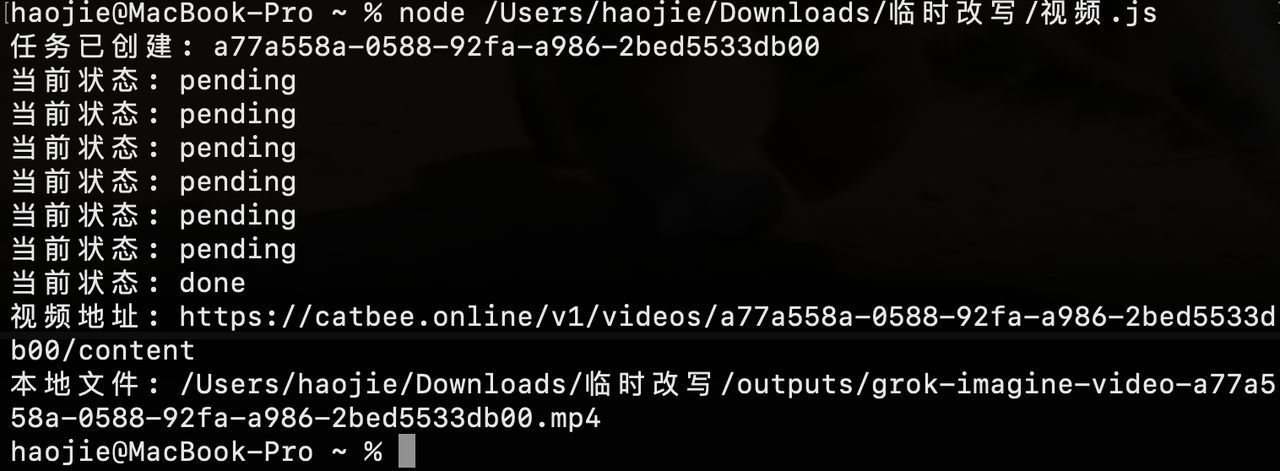
- 打开终端(Windows 用 CMD / PowerShell,macOS 用终端)
- 输入
node(注意末尾有空格),然后将video.js文件拖入终端 - 按下回车键执行脚本,终端会显示任务创建和生成进度
- 状态变为
done即生成完成,视频自动保存到同目录outputs文件夹
✅ 生成完成
视频生成成功后,终端会输出在线视频地址和本地文件路径,可直接打开播放。
🔧 常见问题排查
- 提示 API Key 无效:检查密钥是否填写正确,确认所属分组支持视频生成能力
- 一直显示 pending:视频生成需要时间,5 秒视频通常 1-3 分钟完成,请耐心等待
- 网络连接失败:检查网络是否能正常访问 API 地址,可尝试开启代理后重试
- 余额不足:登录 API 平台查看账户余额,视频生成按次扣费
- 下载失败:确认生成状态为 done 后再下载,或手动复制终端输出的视频地址到浏览器打开